
Home / Reviews / Head-to-head
Reolink E1 Swift vs Furbo Dog Camera: Which Should You Buy?

Affiliate note: Bestindoorcam.com may earn a commission if you buy through a store link. That does not change which camera we prefer. Read how affiliate links and ads work and how we research and review cameras. As an Amazon Associate I earn from qualifying purchases.
TL;DR — Reolink E1 Swift vs Furbo Dog Camera verdict
- Short answer: buy the Reolink E1 Swift for most pet owners — it is a general-purpose 2K pan-tilt camera that happens to detect animals, records locally to a microSD card with no subscription required, runs on AA batteries or USB-C power, and connects on dual-band Wi-Fi. Buy the Furbo 360° Dog Camera if you have one anxious dog and specifically want treat tossing, barking alerts and a subscription pet diary — and accept 1080p video, 2.4GHz-only Wi-Fi, plug-in-only power and no local storage.
- Where the Swift wins: sharper 2304 × 1296 video against 1080p, 10x digital zoom against 4x, animal detection alongside person and vehicle detection, PIR sensing, local microSD storage up to 512GB, battery placement freedom, dual-band 2.4/5GHz Wi-Fi, and a 2-year warranty against 1 year.
- Where the Furbo wins: everything dog-specific — treat tossing for up to 100 treats, a free Barking Alert, auto dog tracking, Color Night Vision (the Swift is infrared-only), and the optional Furbo Nanny plan's Smart Alerts, video history and Doggie Diary.
- Price check (October 24, 2026): Furbo listed the 360° Dog Camera at $44 with a plan on furbo.com, with $184 crossed through. Reolink still published no official US price for the E1 Swift — its US product page showed $0.00 in its pricing data — so there is no honest like-for-like price comparison yet.
- How to read this: a spec-based comparison built from Reolink's and Furbo's official product pages and specifications, re-checked on October 24, 2026. We did not hands-on test either camera for this article.
Overview
The Reolink E1 Swift and the Furbo 360° Dog Camera both promise to follow your pet around the room, but they start from opposite philosophies. The Swift is a general indoor security camera — a battery-powered 2K pan-tilt model with person, vehicle and animal detection, local recording and no required monthly fee — that also happens to be good at watching pets. The Furbo is built for exactly one job: it is a dog camera first, with a treat tosser inside, barking alerts, and an optional subscription that turns the day's clips into smart alerts and a Doggie Diary.
That difference decides almost everything below. If you want the full breakdown of either camera on its own, read our Reolink E1 Swift review and our Furbo 360° Dog Camera review. One naming note: Reolink's official product name is "E1 Swift" — "PT" describes its pan-tilt design rather than forming part of the name.
Full spec comparison
| Spec | Reolink E1 Swift | Furbo 360° Dog Camera |
|---|---|---|
| Price (official US pages, checked Oct 24, 2026) | No official US price published — pricing data on Reolink's US page still showed $0.00 | $44 with a plan on furbo.com ($184 crossed through); pricing is plan- and promotion-led |
| Video | 2304 × 1296 (3MP) at 15fps, marketed as 2K; 1/2.7-inch CMOS; f=4.0mm lens, F2.0; H.264/H.265 | 1080p Full HD |
| Digital zoom | 10x | 4x |
| Field of view | 85° horizontal / 44.2° vertical / 106.6° diagonal, before panning | Rotating 360° view; Furbo does not publish a fixed lens angle for this model |
| Movement | Pan 340°, tilt 50°, with auto tracking | Rotates for a 360° view, with auto dog tracking |
| Night vision | Infrared only — no color night vision; Reolink publishes no IR distance | Color Night Vision per the current furbo.com pages (an older Furbo shop listing described infrared — see the source note below) |
| Detection | Motion, person, vehicle and animal detection, plus PIR sensing up to 10m / 33ft at a 100° angle; no crying detection | Barking Alert included free; Dog Activity, Person and Home Emergency Smart Alerts require Furbo Nanny |
| Pet-specific features | Animal detection and auto tracking; no treat tossing, no barking alert | Treat tossing (holds 100 treats; recommended treats are round, about 0.4in / 1cm), Barking Alert, Doggie Diary via Nanny |
| Audio | Two-way audio (built-in microphone and speaker) | Two-way audio |
| Storage | microSD up to 512GB (card not included); Reolink Home Hub / NVR and Reolink Cloud also supported | No local or microSD storage listed by Furbo; video history is a Furbo Nanny feature (Standard plan: 3-day history) |
| Subscription | Not required for local recording; Reolink Cloud is optional | Furbo Nanny optional: Standard averages $6.99/mo billed at $83.92 ($9.99 list), 14-day free trial; adds Smart Alerts, video history and Doggie Diary |
| Wi-Fi | Dual-band 2.4GHz and 5GHz | 2.4GHz only, plus Bluetooth (BLE) for setup |
| Power | AA alkaline batteries or DC 5V/1A via USB-C; up to 4 months per set at 5 minutes of recording a day; 24/7 recording only in wired mode | Plug-in only: 5V/2A via USB-C, 2m cable |
| Size and weight | Φ76 × 145.9mm; 267g without batteries; operating range −10°C to 40°C | 8.8 × 4.9 × 4.9in; 750g / 1.65lb; tabletop design with 3M adhesive tape |
| Privacy | Privacy Mode turns the lens away from the app | Not specified on the official pages checked |
| Smart home and apps | Google Assistant and Alexa are listed in the specs, but both voice-control sections of the official page are marked "Coming Soon"; Reolink app | Alexa and Apple Watch support; Furbo app requires iOS 18+ / Android 13+ |
| Warranty | 2-year limited warranty | 1-year warranty; lifetime hardware warranty while a yearly or 2-year Nanny plan stays active; 30-day returns |
Source note: specifications are taken from the official Reolink E1 Swift product page (reolink.com) and the official Furbo 360° Dog Camera product and comparison pages (furbo.com), re-checked on October 24, 2026. Two honest gaps: Reolink publishes no IR night-vision distance and no US price for the E1 Swift, and Furbo's current pages say Color Night Vision while an older official Furbo shop listing described infrared night vision — this comparison follows the current furbo.com wording and flags the difference rather than hiding it.
Design and coverage
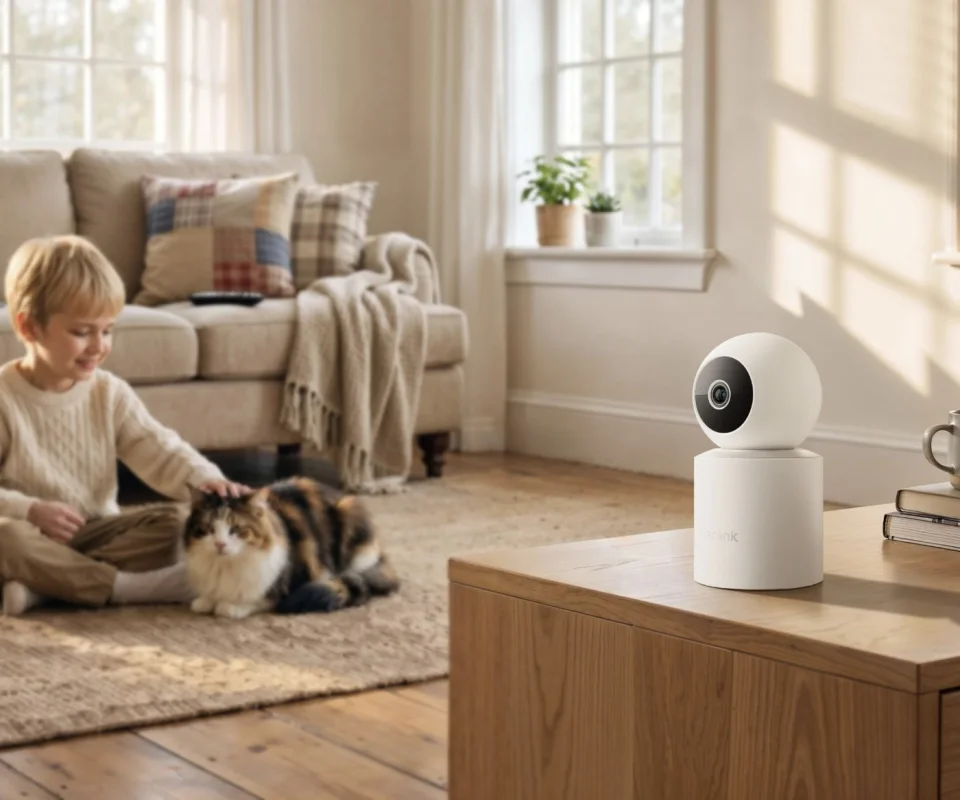
The Swift is a tall, white, two-part pan-tilt camera: a round camera head on a cylindrical battery base, 145.9mm tall and 76mm across. It pans 340° and tilts 50°, and because it can run on AA batteries it can sit on a shelf, cabinet or mount without a cable run — wired USB-C power is there when you want it. Furbo's camera is a larger tabletop tower, 8.8in tall and 750g, topped with its bamboo wood cover; it does not pan a camera head so much as rotate its whole view, giving it a rotating 360° view from a fixed spot near an outlet, held in place with 3M tape.
On paper Furbo's full rotation beats the Swift's 340° pan. In practice the placement rules matter more: the Swift can go where the pets actually are, including rooms without a spare outlet, while the Furbo has to live within its 2m cable's reach of power. If you are still deciding what style of camera suits the room, our roundup of the best pan and tilt indoor cameras shows how both designs compare with the wider field.
Video and night vision
This round splits cleanly in two. In daylight the Swift is simply sharper: 2304 × 1296 at 15fps against Furbo's 1080p, through an F2.0 lens, with 10x digital zoom against 4x for reading a collar tag, checking which pet is on the sofa, or zooming into a food bowl. Neither camera is a frame-rate star — the Swift's 15fps is published, and Furbo does not headline a frame rate — but for pet check-ins, still clarity matters more.
At night the advantage flips. The Swift is infrared-only: black-and-white night footage, and Reolink does not publish an IR distance, so we will not invent one. Furbo's current pages list Color Night Vision, which makes a dark-coated dog on a dark rug far easier to pick out. If most of your checking-in happens after dark, that can outweigh the Swift's resolution lead; if it happens in daylight, it cannot.

Pet features: tracking vs treat tossing and barking
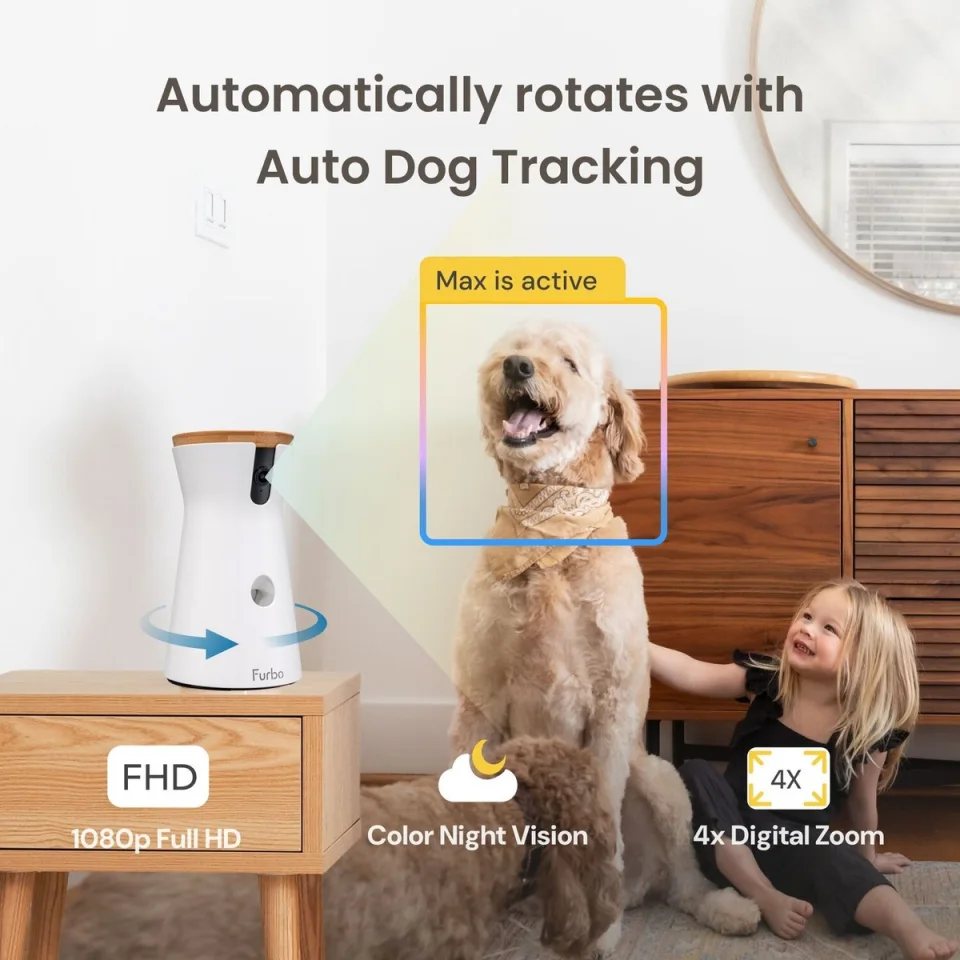
Both cameras follow a moving pet — the Swift with auto tracking driven by its pan-tilt head, the Furbo by rotating to keep the dog framed, with auto dog tracking. The difference is what happens next. The Swift treats a pet as one detection type among several: its on-device detection separates motion, people, vehicles and animals, backed by a PIR sensor rated to 10m, so a cat crossing the room, a dog at the door and a person coming home are filed differently. It has no crying detection, no barking alert and no way to interact beyond your voice.
The Furbo is a dog interaction machine. It tosses treats — up to 100 pieces loaded, sized for round treats around 0.4in / 1cm — so you can reward or distract a dog from your phone. Its Barking Alert is included free, which is the single most useful alert for an anxious-dog owner. Paid Furbo Nanny plans layer on Smart Alerts for dog activity, people and home emergencies, plus the Doggie Diary that summarises the day. For homes where the pet in question is specifically a dog, our guide to the best indoor cameras for pets puts both cameras in the wider context of what pet owners actually need.

Audio
Both cameras offer two-way audio, so on the spec sheet this round is a draw: you can hear the room and talk back through either app. What differs is everything wrapped around the microphone. Furbo adds a dedicated barking alert for free and, on Nanny plans, home-emergency listening alerts. The Swift makes no sound-specific promises at all — no barking alert and, notably for parents doubling a camera as a monitor, no crying detection either. If hearing and being told matters, Furbo wins this section despite the identical two-way-talk checkbox.
Storage and subscriptions
This is the widest gap between the two cameras. The Swift records to its own microSD card — up to 512GB, bought separately — and can also record to a Reolink Home Hub or NVR, with Reolink Cloud as an option rather than a requirement. Your footage can stay in your home, and the camera keeps its core features if you never pay Reolink another cent; it sits naturally among the best indoor cameras with no monthly fee.
Furbo lists no local storage at all for this model. Live view and the Barking Alert work without paying, but video history, Smart Alerts and the Doggie Diary are Furbo Nanny features: the Standard plan averages $6.99 a month billed at $83.92 against a $9.99 list price, with a 14-day free trial and a 3-day video history on that tier. Budget honestly: over two years Nanny Standard adds about $168 to the Furbo's cost, while the Swift's only extra is a memory card. In exchange, Nanny subscribers on yearly or 2-year plans also get lifetime hardware cover while the plan stays active, against the standard 1-year warranty.
Wi-Fi and power
The Swift connects on both 2.4GHz and 5GHz Wi-Fi, which helps in crowded networks and lets it sit closer to the faster band. The Furbo is 2.4GHz only (with Bluetooth for setup) — the band with the longer range through walls, but also the more congested one, and there is no 5GHz fallback if your 2.4GHz band is saturated.
Power is an even clearer split. The Furbo is plug-in only: 5V/2A over a 2m USB-C cable, always on, always ready to toss a treat. The Swift runs on AA alkaline batteries — up to 4 months at Reolink's stated 5 minutes of recording a day — or on 5V/1A USB-C power, and only the wired mode records 24/7; on batteries it is a motion-triggered camera that sleeps between events. Treat-toss readiness is Furbo's quiet advantage here: it never sleeps through the first seconds of an event the way a battery camera can.
Reolink E1 Swift: pros and cons
Pros
- Sharper video: 2304 × 1296 (marketed as 2K) with 10x digital zoom
- Local microSD recording up to 512GB — no subscription required
- Battery or wired power, so placement is not tied to an outlet
- Animal detection alongside person and vehicle detection, plus PIR sensing
- Dual-band 2.4/5GHz Wi-Fi and a 2-year warranty
Cons
- Infrared-only night vision — no colour at night, and no published IR distance
- No official US price published yet, so value is hard to judge
- No barking alert, no treat tossing, no crying detection
- 24/7 recording only in wired mode; battery life depends on how busy the room is
- Google Assistant and Alexa are listed, but the official voice-control sections still say "Coming Soon"
Furbo 360° Dog Camera: pros and cons
Pros
- Treat tossing built in — the feature no general camera in this comparison offers
- Free Barking Alert, plus auto dog tracking and a rotating 360° view
- Color Night Vision per Furbo's current pages
- Nanny plan adds genuinely dog-focused extras: Smart Alerts, video history, Doggie Diary
- Alexa and Apple Watch support; 30-day returns
Cons
- 1080p video and 4x zoom — visibly softer than the Swift on paper
- No local storage: history and smart features sit behind the Nanny subscription
- 2.4GHz Wi-Fi only and plug-in only — placement is fixed by the cable
- Dog-specific by design; cats and multi-pet homes get less from it
- 1-year standard warranty unless a yearly or 2-year Nanny plan stays active
Who it's for
Buy the Reolink E1 Swift if you have cats, multiple pets, or a dog plus a home to keep an eye on; if you refuse monthly fees on principle; if the camera needs to go somewhere without an outlet; or if sharper daylight video and local recordings matter more than interacting with your pet. It is the better default for most households.
Buy the Furbo 360° Dog Camera if you have one dog — especially an anxious or barky one — and you know you will use the treat tosser, you want a barking alert the moment it happens, and you are happy to pay for Nanny to get smart alerts and a daily diary. It is a narrower product, but for that specific owner it does things the Swift simply cannot.
Skip both if you need outdoor coverage, continuous recording on battery power, or a camera for a nursery — neither model is built for those jobs, and the Swift explicitly lacks crying detection.
FAQ
Which camera is better for cats or multi-pet homes?
The Reolink E1 Swift. Its detection includes a general animal type alongside person and vehicle detection, so cats count as much as dogs, and its local recording works the same for every pet. The Furbo 360° Dog Camera is designed and tuned for dogs — its alerts, diary and treat tossing assume a dog.
Does either camera require a subscription?
The Swift does not: it records locally to a microSD card (up to 512GB, not included), and Reolink Cloud is optional. The Furbo works without one for live view and its free Barking Alert, but video history, Smart Alerts and the Doggie Diary require Furbo Nanny — Standard averages $6.99/mo billed at $83.92, with a 14-day free trial.
Which has better video quality?
By day, the Swift: 2304 × 1296 against 1080p, with 10x digital zoom against 4x. At night it reverses — Furbo lists Color Night Vision on its current pages, while the Swift is infrared-only and Reolink publishes no IR distance for it.
Can the E1 Swift record 24/7 on batteries?
No. On AA batteries the Swift is motion-triggered, with battery life quoted at up to 4 months based on 5 minutes of recording a day. Continuous 24/7 recording is available only in wired USB-C mode. The Furbo is plug-in only, so it is always powered.
Does the Furbo record to a memory card?
No local or microSD storage is listed by Furbo for the 360° Dog Camera. Playback history is a cloud feature of the Furbo Nanny subscription — the Standard plan includes a 3-day video history.
Where to buy
Reolink E1 Swift:
- Reolink official store — E1 Swift product page (no official US price was published there when checked on October 24, 2026)
- Amazon — search results for Reolink E1 Swift
Furbo 360° Dog Camera:
- Furbo official store — Furbo 360° Dog Camera ($44 with a plan, $184 crossed through, when checked on October 24, 2026; pricing varies by plan and promotion)
- Amazon — search results for Furbo 360 Dog Camera
#reolink e1 swift #furbo dog camera #reolink #furbo #pet camera
Comments
No notes yet. If you own one of these cameras, tell us what the spec sheet left out.