
Home / Reviews / Head-to-head
Arlo Essential Indoor (2nd Gen) vs Arlo Essential Pan Tilt Indoor: Which Should You Buy?

Affiliate note: Bestindoorcam.com may earn a commission if you buy through a store link. That does not change which camera we prefer. Read how affiliate links and ads work and how we review.
TL;DR — the quick verdict
These two Arlo indoor cameras share a name, an app and a 130° lens, but they solve different problems. The Arlo Essential Indoor (2nd Gen) is a fixed camera: point it at the part of the room that matters, and its standout trick is a physical Automated Privacy Shield that covers the lens when you disarm it. It comes in a cheaper 1080p HD version ($39.99) and a sharper 2K version ($79.99), and it is the only one of the two that can connect to an Arlo SmartHub. The Arlo Essential Pan Tilt Indoor (2025) costs $49.99 at list — less than the 2K fixed model — and adds a motorized 360° pan / 180° tilt head with automatic motion tracking and dual-band Wi-Fi, so one camera can follow activity across a whole room. Buy the Pan Tilt for large, open rooms and pets that roam. Buy the fixed Essential Indoor (2nd Gen) for a nursery, bedroom or entryway where one fixed view is enough — and especially if privacy-shield hardware or SmartHub support matters to you. Neither camera offers local storage on the camera itself, and both lean on a paid Arlo Secure plan for cloud recordings and smart alerts after the included trial. This comparison is spec-based on Arlo's official published data; we have not hands-on tested either camera.
Overview
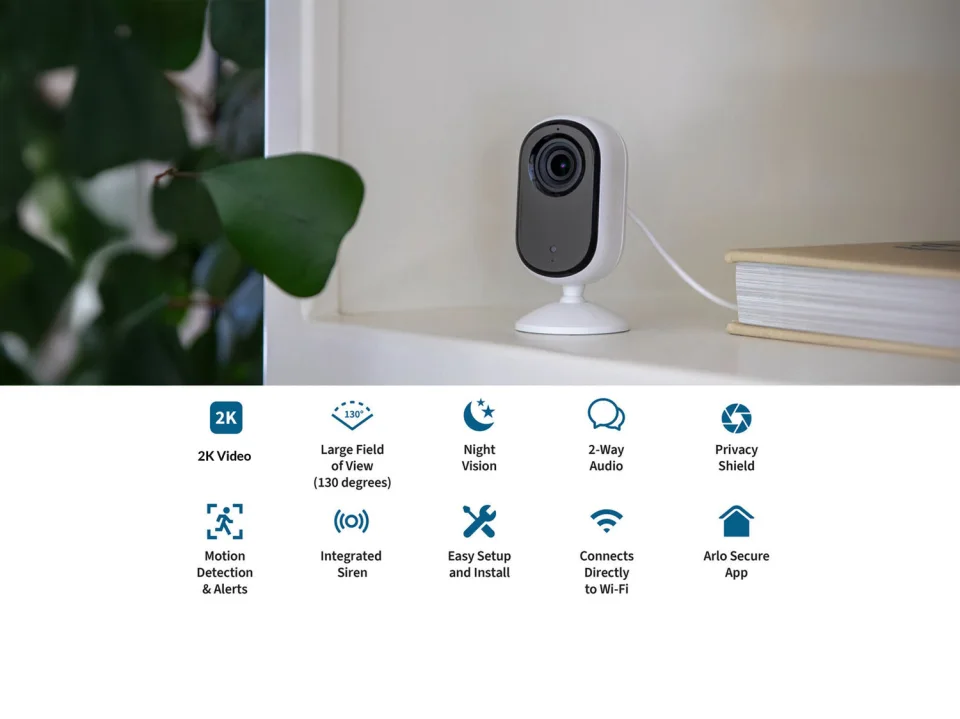
Arlo sells two very different cameras under the Essential Indoor name. The Essential Indoor (2nd Gen) is the direct successor to the original fixed indoor camera: a tall, slim, plug-in camera that sits on a shelf or mounts to a wall and watches one fixed 130° view. We covered it on its own in our full Arlo Essential Indoor Camera (2nd Gen) review. Uniquely in Arlo's indoor line, it is sold in two resolutions — an HD model (VMC2060) and a 2K model (VMC3060) that are otherwise the same camera.
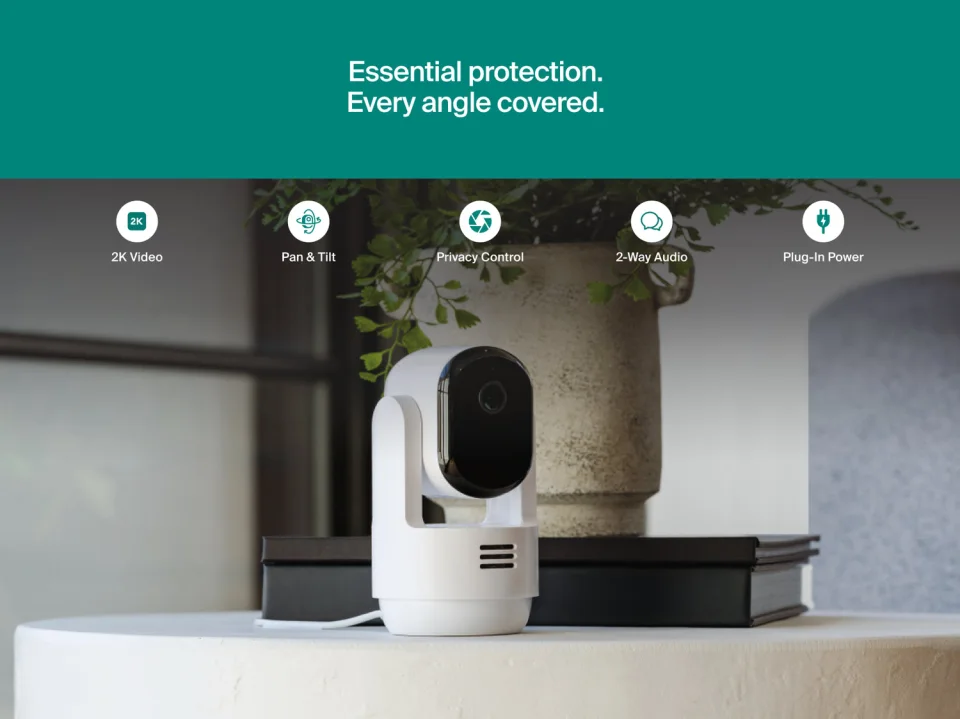
The Essential Pan Tilt Indoor, released in 2025, takes the opposite approach: a single 2K model (VMC3073-100NAS) on a motorized base that pans a full 360° and tilts 180°, automatically tracking movement as it crosses the room. Our standalone Arlo Essential Pan Tilt Indoor 2K review goes through that camera in depth. On paper the Pan Tilt looks like it simply supersedes the fixed camera — it is cheaper than the 2K fixed model and does more. The details below show why that is only partly true: the fixed camera keeps three real advantages (a physical privacy shield, an HD version at $39.99, and SmartHub compatibility the Pan Tilt explicitly lacks).
Full specification comparison
| Spec | Arlo Essential Indoor (2nd Gen) | Arlo Essential Pan Tilt Indoor |
|---|---|---|
| Models | VMC2060 (HD) / VMC3060 (2K) | VMC3073-100NAS (2025 release) |
| US price (arlo.com) | HD $39.99; 2K $79.99 (1-camera; 2K 2-pack $159.99) | $49.99 list; on sale at $34.99 when checked 18 Oct 2026 (2-camera $99.99 list / $59.99 sale) |
| Video resolution | 1080p HD (VMC2060) or 2K 2560 × 1440 (VMC3060); 16:9 | 2K 2304 × 1296 only |
| Field of view | 130° diagonal | 130° diagonal (lens) |
| Pan / tilt | None — fixed lens | 360° pan / 180° tilt; automatic motion tracking; up to 4 custom positions; Auto Scan |
| Digital zoom | 12x | 12x |
| Night vision | Black-and-white infrared | Black-and-white infrared; no spotlight and no color night vision on this indoor model |
| Audio | Full-duplex two-way audio | Two-way audio with noise cancellation and echo cancellation |
| Siren | Integrated; automatic on motion/sound or manual in app | Integrated; triggerable from the Arlo Secure app |
| Motion detection | Image-based motion detection | PIR motion sensor, 110° horizontal detection range |
| Privacy | Automated Privacy Shield — a physical cover closes over the lens when disarmed; motion and audio detection and the microphone switch off while it is closed | Privacy Control — disarming in the app disables audio and video and the lens tilts down and away; in standby / arm-home the microphone is off and motion detection stops |
| Wi-Fi | 2.4 GHz only | Dual-band 2.4 GHz + 5 GHz |
| Hub support | Optional — works with Arlo SmartHub / Base Station (VMB5000, VMB4540, VMB4500, VMB4000); no hub required for direct Wi-Fi use | None — Arlo states this camera does not support any Base Station or SmartHub |
| Smart home | Amazon Alexa, Google Home, IFTTT; Apple Home when connected via an Arlo SmartHub | Amazon Alexa, Google Home, Samsung SmartThings, IFTTT; no HomeKit listed for this model |
| Storage | No microSD slot on the camera; cloud recording via Arlo Secure in direct-Wi-Fi use (see hub note below the table) | Cloud only — no microSD slot and no hub option |
| Subscription | Trial of an Arlo Secure plan included (30 days / 1 month); live view and motion notifications continue free after the trial; cloud storage, interactive notifications and object detection require a paid plan; compatible with Arlo 24/7 Recording per Arlo's FAQ | Free 1-month Arlo Secure Early Warning System trial; live streaming and basic alerts free without a plan; smart detections, 60-day video history, activity zones and advanced audio alerts require a paid plan after the trial |
| Power | Plug-in wired, power adapter included; no battery | Plug-in wired, 6.5 ft (2 m) USB cable and indoor adapter included; no battery |
| Mounting | Tabletop or wall (mounting plate included) | Tabletop, wall or ceiling (L bracket, mount and screw kit included) |
| Dimensions | 1.42 × 1.85 × 3.82 in | Not published on the US product page as fetched (see research notes) |
| Use | Indoor only | Indoor only |
Specs verified against arlo.com, Oct 2026. Hub note: Arlo's FAQ for the 2nd Gen says a SmartHub/Base Station connection "is compatible with local storage" as a general hub benefit; Arlo does not detail Essential-specific local recording on the product page, so treat the fixed camera's verified recording route as Arlo Secure cloud. Prices are Arlo's US store prices when checked on 18 October 2026 and change frequently.
Key differences
Fixed view vs whole-room tracking
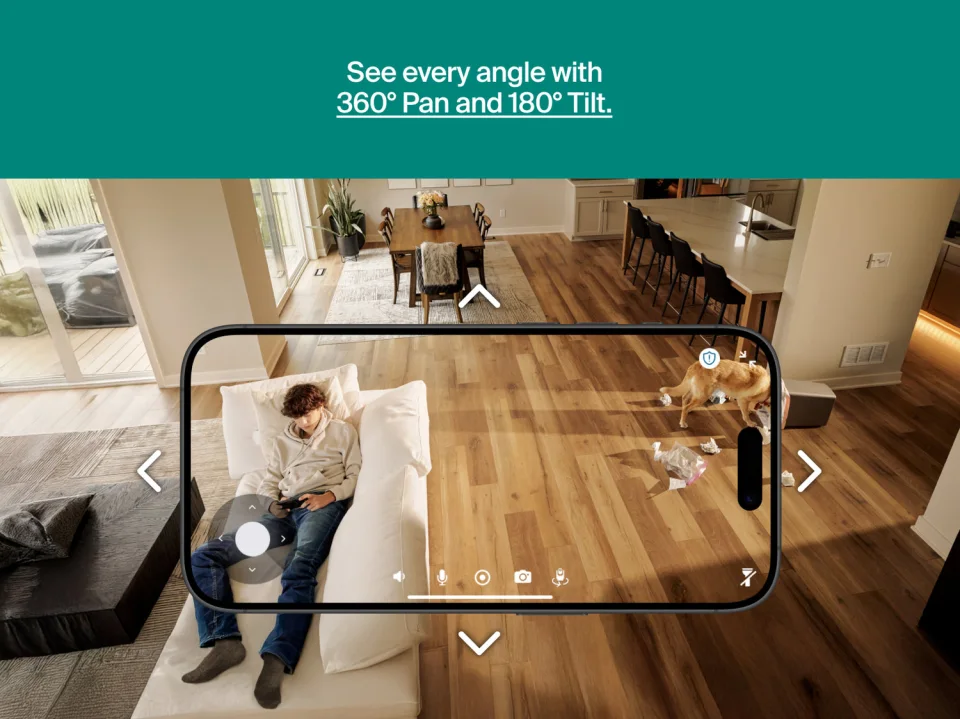
This is the decision that matters most. The fixed camera sees one 130° wedge of a room, forever. If the action moves out of frame — a toddler crawling across a playroom, a dog moving from couch to door — it is simply not recorded. The Pan Tilt's motorized head pans 360° and tilts 180°, follows detected movement automatically, and can sweep up to four preset positions with Auto Scan or be steered manually from the app. For a single camera covering an open-plan living space, that is a categorically wider net, which is why the Pan Tilt also anchors our roundup of the best pan and tilt indoor cameras. The trade-off is mechanical: motors add a moving part, a calibration routine, and a slightly larger body that needs to sit somewhere with room to rotate.
Two resolutions vs one — and two different "2K"s
The fixed camera forces a choice the Pan Tilt does not: pay $39.99 for 1080p HD, or $79.99 for 2K. Note that Arlo's two "2K" labels are not identical resolutions — the fixed 2K model records 2560 × 1440, while the Pan Tilt records 2304 × 1296. So at the top end the fixed camera is technically the sharper of the two, while the Pan Tilt's 2K sits between the fixed model's HD and 2K steps. In practice, placement and coverage will matter more than that pixel gap for most rooms, but buyers comparing spec sheets should know the numbers are not the same.
Privacy: a physical shield vs a lens that looks away
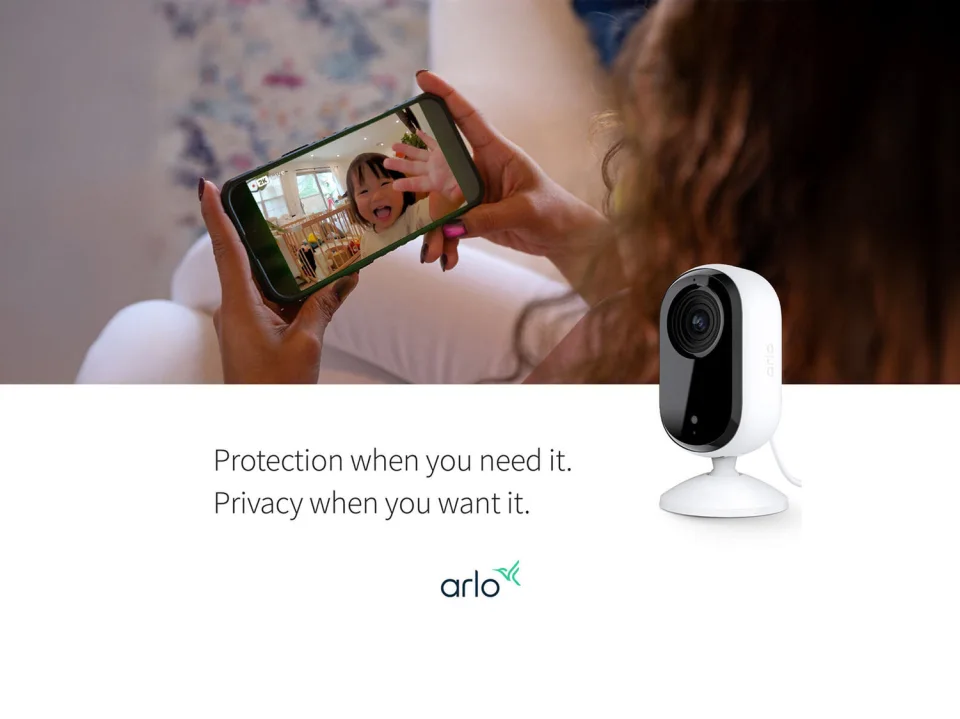
Both cameras take privacy seriously, in mechanically different ways. The fixed camera's Automated Privacy Shield physically covers the lens whenever the camera is disarmed, and while it is closed Arlo states that motion detection, audio detection and the microphone are all off — the strongest form of indoor-camera privacy, carried over from the design we first covered in our review of the original Arlo Essential Indoor. The Pan Tilt instead tilts its lens down and away and disables audio and video in its privacy state. Both are visible, verifiable "off" states — far better than a software toggle alone — but only the fixed camera physically blocks the lens.
Wi-Fi and hub support pull in opposite directions
Oddly, each camera wins one connectivity round. The Pan Tilt has the better radio: dual-band 2.4 GHz + 5 GHz Wi-Fi, useful in congested homes. The fixed camera is 2.4 GHz only. But the fixed camera can optionally join an Arlo SmartHub or Base Station — which is also the only way to get it into Apple Home — while Arlo states plainly that the Pan Tilt Indoor supports no Base Station or SmartHub at all. Existing Arlo households with a hub already on the shelf should weigh that heavily.
Detection and the subscription are near-identical
Both cameras live in the Arlo Secure app, both include a trial plan, and both keep live view and basic notifications free afterwards while gating cloud history and smart person/pet-style detections behind a paid plan. The Pan Tilt's plan tier is spelled out more generously on its product page (60-day video history, advanced audio alerts for dog barking, glass breaking and smoke/CO alarm listening, custom detections), and its PIR sensor is a hardware difference over the fixed camera's image-based detection. Neither camera gives you a microSD escape hatch from the subscription — if local storage is a deal-breaker, neither Arlo is the answer; see how the Pan Tilt fares against a local-storage rival in our Wyze Cam Pan v4 vs Arlo Essential Pan Tilt Indoor comparison.
Pros and cons
Arlo Essential Indoor (2nd Gen) — pros
- Physical Automated Privacy Shield — the lens is genuinely covered when disarmed, with mic and detection off.
- Cheapest way into Arlo indoors: the HD version is $39.99.
- The 2K version (2560 × 1440) is technically sharper than the Pan Tilt's 2K.
- Optional SmartHub / Base Station support, and Apple Home via a SmartHub — the Pan Tilt has neither.
- Full-duplex two-way audio and an integrated siren at a budget price.
- Compatible with Arlo 24/7 Recording, per Arlo's official FAQ.
Arlo Essential Indoor (2nd Gen) — cons
- Fixed lens: anything outside its 130° wedge is never seen.
- 2.4 GHz Wi-Fi only — no 5 GHz option.
- The 2K version ($79.99) costs $30 more than the Pan Tilt's list price while doing less mechanically.
- No microSD slot; cloud recordings need a paid Arlo Secure plan after the trial.
- Black-and-white night vision only; no color night vision.
Arlo Essential Pan Tilt Indoor — pros
- 360° pan / 180° tilt with automatic motion tracking, four custom positions and Auto Scan — true whole-room coverage from one camera.
- 2K video at a $49.99 list price, undercutting Arlo's own fixed 2K model by $30.
- Dual-band Wi-Fi (2.4 GHz + 5 GHz) and no hub required.
- PIR motion sensor, advanced audio detection and custom detections on a plan; animated previews.
- Ceiling mounting is supported out of the box, not just tabletop and wall.
- Privacy Control tilts the lens visibly away when disarmed.
Arlo Essential Pan Tilt Indoor — cons
- Cloud only in the strictest sense: no microSD slot and no SmartHub/Base Station support at all.
- Smart detections, 60-day history and activity zones all require a paid plan after the 1-month trial.
- No physical lens cover — privacy is a tilt-away, not a shield.
- No Apple Home/HomeKit support listed; the fixed model offers it via a hub.
- Its "2K" (2304 × 1296) is a step below the fixed 2K model's 2560 × 1440, and night vision is black-and-white IR with no spotlight.
- Wired only, with a 6.5 ft cable that limits placement away from outlets.
Who should buy which
Buy the Arlo Essential Pan Tilt Indoor if one camera has to cover a large or open-plan room, if you are watching pets or children who move around, or if your Wi-Fi is crowded enough that 5 GHz support matters. At its $49.99 list price — and frequently less on sale — it is also simply the better-value 2K Arlo for most people, provided you accept the Arlo Secure subscription model.
Buy the Arlo Essential Indoor (2nd Gen) if the camera will watch one fixed spot — a front door from inside, a hallway, a nursery corner — and you value the physical privacy shield, which makes it the more comfortable choice for bedrooms and nurseries. Buy the HD version if $39.99 is the budget and 1080p is enough for the room size. Buy the 2K version if you already own an Arlo SmartHub (or want Apple Home via one), since the Pan Tilt cannot join a hub at all. If neither camera's cloud-only storage works for you, widen the shortlist with our guide to the best pan and tilt indoor cameras before deciding.
FAQ
What is the main difference between the Arlo Essential Indoor (2nd Gen) and the Pan Tilt Indoor?
Movement. The 2nd Gen is a fixed camera with a 130° view; the Pan Tilt Indoor sits on a motorized base that pans 360° and tilts 180° and automatically tracks motion. Almost everything else — app, siren, two-way audio, subscription model — is shared Arlo Essential DNA.
Which camera is cheaper in 2K?
The Pan Tilt Indoor. Its single 2K model lists at $49.99 (and was on sale at $34.99 on arlo.com when checked on 18 October 2026), while the fixed camera's 2K version lists at $79.99. The fixed camera is only cheaper if you accept its 1080p HD version at $39.99. Note the resolutions differ slightly: 2304 × 1296 on the Pan Tilt vs 2560 × 1440 on the fixed 2K model.
Does either camera work without an Arlo Secure subscription?
Yes, both keep working: Arlo states that after the included trial, live streaming and motion notifications continue without a plan on both models. What you lose without paying is cloud video storage/history, interactive/object-detection notifications and, on the Pan Tilt, activity zones and advanced audio alerts. Neither camera has a microSD slot as a free alternative.
Can I connect either camera to an Arlo SmartHub or Base Station?
Only the fixed one. Arlo's FAQ confirms the Essential Indoor (2nd Gen) can connect to VMB5000, VMB4540, VMB4500 and VMB4000 hubs (which also enables Apple Home), while the Pan Tilt Indoor's FAQ states it does not support any Base Station or SmartHub and connects directly to Wi-Fi instead.
Which is better for a nursery?
For most nurseries, the fixed Essential Indoor (2nd Gen): the crib does not move, its physical Privacy Shield covers the lens when you are in the room with the baby, and Arlo lists it as compatible with 24/7 Recording. Choose the Pan Tilt instead for a toddler's playroom, where the subject roams and automatic tracking earns its keep.
Where to buy
Both cameras are sold directly by Arlo in the US, and Arlo's own store pricing moves often — the Pan Tilt in particular was discounted when we checked. Plain retailer links below; check the current price on each before buying.
Comments
No notes yet. If you own one of these cameras, tell us what the spec sheet left out.