
Home / Reviews / Camera reviews
Google Nest Cam (Battery) Review
Affiliate note: Bestindoorcam.com may earn a commission if you buy through a store link. That does not change which camera we prefer. Read how affiliate links and ads work and how we review.
Google Nest Cam (Battery) Review
Overview
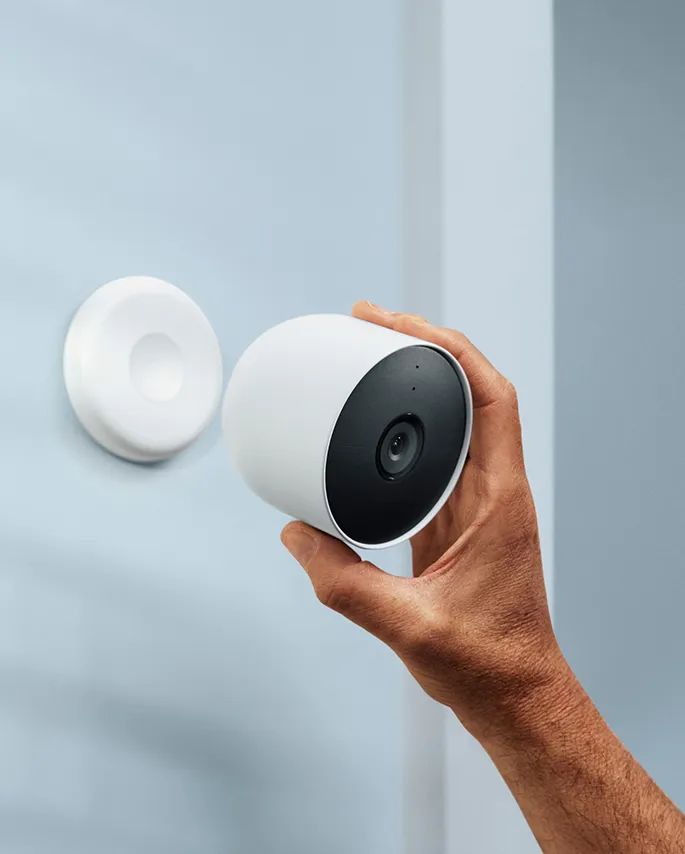
The Nest Cam (battery) is Google's wire-free take on its second-generation Nest Cam lineup, and unlike most cameras sold as "indoor," Google markets this one explicitly for indoor or outdoor use. For bestindoorcam.com readers, that's the key angle: many owners buy it as an indoor camera precisely because the battery removes the cord-and-outlet constraint — you can stick it on a fridge, a metal shelf, or a bookshelf without planning cable routes. And if you do have an outlet nearby, the optional indoor stand (sold separately) has a built-in cable for continuous power, which also unlocks the longer video-history tiers.
Per the official spec sheet, this is a 1080p HDR camera with a 2-megapixel 1/2.8-inch sensor and a 130° diagonal field of view — solid numbers for watching a living room or entryway, but not class-leading when 2K cameras now sell for similar money. What Google leans on instead is on-device machine learning: the camera can tell a person from an animal from a vehicle and lets you set custom activity zones, all without a subscription. Free event history covers 3 hours of clips; anything longer needs Google Home Premium.
If you prefer a camera that never needs charging, the fully wired alternative in the same family is the Nest Cam Indoor (wired, 3rd gen) — see our full review, which also steps up to 2K resolution. And if you're weighing Google against Amazon's ecosystem, our Nest Cam vs Ring Indoor Cam comparison walks through the trade-offs.
Full specifications
| Spec | Nest Cam (Battery) |
|---|---|
| Video resolution | Up to 1080p at 30 FPS, HDR, 16:9, H.264 |
| Image sensor | 1/2.8-inch, 2-megapixel |
| Field of view | 130° diagonal |
| Zoom | 6x digital zoom |
| Night vision | Up to 20 ft (6.1 m) illumination; 6 high-power 850 nm IR LEDs; night vision with HDR |
| Motion detection | Single motion sensor; 110° horizontal FOV; up to 25 ft (7.5 m) range |
| Audio | Full-duplex 2-way audio with noise cancellation (speaker + mic) |
| Pan / tilt | Fixed (no mechanical pan or tilt) |
| Wi-Fi | 802.11a/b/g/n, 2.4 GHz and 5 GHz; Bluetooth Low Energy (setup); WEP/WPA/WPA2/WPA3 |
| Battery | Built-in rechargeable 6 Ah, 3.65 V lithium-ion (not removable) |
| Battery life (Google's estimates) | Busy: ~1.5 months (20–25 events/day); Typical: ~3 months (9–12 events/day); Quiet: ~7 months (2–4 events/day) |
| Charging / wired options | Included 3.3 ft (1 m) indoor-rated charge cable + 7.5 W USB-A adapter; 5 m / 10 m weatherproof cables sold separately for continuous power; optional indoor stand with built-in cable; can run wired continuously |
| Solar | No official Google solar panel; a third-party solar panel was offered at launch — compatibility not listed on the current spec sheet |
| Weather rating | IP54 (weather-resistant); operating −4°F to 104°F (−20°C to 40°C) |
| Storage | Cloud event clips; no local SD slot; up to 1 hour of event video buffered locally if Wi-Fi or power drops |
| Free event history | 3 hours of event-based video clips, included |
| Subscription | Google Home Premium — Standard $10/month or $100/year; Advanced $20/month or $200/year. Advanced adds up to 60 days of event history, familiar faces, sound detection, and Gemini features. Up to 10 days of 24/7 continuous recording requires wired power plus the top tier (Premium Plus/Advanced) |
| App | Google Home app (free) + Google Account required; not compatible with the old Nest app or home.nest.com |
| Smart-home integrations | Works with "Hey Google" and Alexa-enabled devices; Home & Away routines (auto-off when you're home); emergency calling to 911 from the Google Home app |
| Security / privacy | On-device machine learning, secure boot, automatic security updates, 128-bit AES encryption with TLS/SSL; green status LED when streaming/recording; theft replacement — Google replaces the camera free if it's stolen |
| Mounting | Wall mount with 2 screws (included) or sticks magnetically to metal surfaces; proprietary magnetic connector; secure loop included |
| Colors | Snow |
| Dimensions / weight | 3.27 × 3.27 in (8.3 × 8.3 cm); 14.04 oz (398 g) |
| Warranty | 1-year limited warranty |
| Price (USD) | From $199.99 on the Google Store (2-pack also offered). Note: it launched at $179.99 — Google has raised the list price since. |
Spec source: All specifications above are from Google's official pages — the Nest Cam (battery) tech-specs page and the product page on store.google.com, plus the Google Home Premium pricing listed on Google's store pages (all accessed October 2026). Battery-life tiers are Google's published event-based estimates. If a spec wasn't on the official pages, we've said so rather than guessing.
Key features
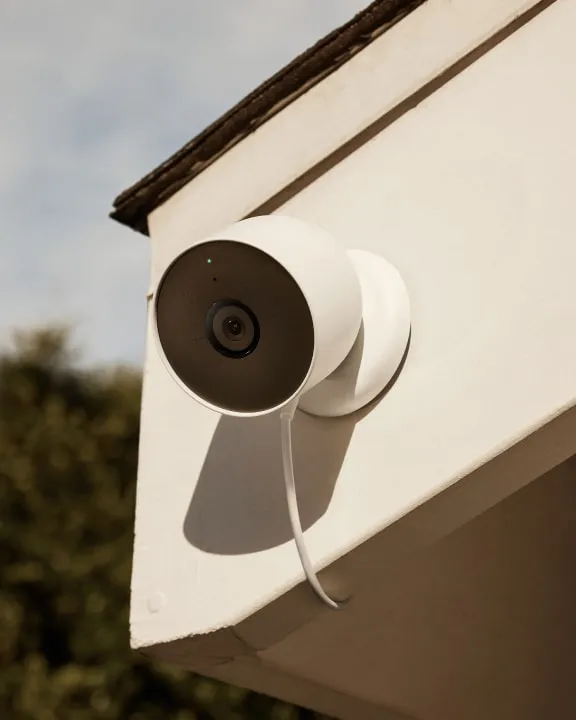
- Wire-free placement: the built-in battery means the camera goes wherever the action is — a fridge, a metal door frame, a shelf — with zero cable planning. This is the entire pitch, and on paper it delivers.
- Smart alerts without a subscription: person, animal, and vehicle detection plus customizable activity zones are built in. You only pay Google Home Premium for familiar faces, sound detection (person talking, glass breaking, smoke/CO alarm sounds), and longer history.
- 3 hours of free event history: modest, but genuinely free — enough to catch what happened after a notification. If that's too short, Standard Premium ($10/mo) stretches event history to 30 days; Advanced ($20/mo) stretches it to 60 days and adds Gemini-powered search and daily summaries.
- Wi-Fi-outage backup: if your internet drops, the camera buffers up to 1 hour of events locally and uploads them when the connection returns — a real resilience feature few competitors list this clearly.
- Run it wired indoors: keep the included short cable (or the optional stand's longer cable) plugged in and you get continuous power — and with Premium, up to 10 days of 24/7 continuous recording, the closest this line gets to a wired-system experience.
- Google ecosystem glue: view feeds on Nest Hubs and Chromecast, ask Google Assistant to show the living room, set Home & Away routines so the camera switches off when you're home, and call 911 from the Google Home app if you spot an emergency while away.
- Theft replacement: per Google, if someone steals the camera, they replace it free — a small but telling confidence signal.
Pros and cons
Pros
- Truly wire-free indoor placement with a long-life battery (up to ~7 months in quiet spots, per Google's estimates)
- Intelligent alerts (person/animal/vehicle + activity zones) with no subscription required
- Free 3-hour event history and 1-hour local backup during outages
- Can run on continuous wired power indoors — flexible enough to behave like a wired camera
- Strong Google Home / Nest Hub / Alexa integration and solid security posture (on-device ML, AES-128, auto updates)
- IP54 weather resistance means one camera can move between indoor and outdoor duty
Cons
- 1080p max — no 2K/4K option, while similarly priced rivals have moved on
- Long video history is paywalled: 60-day history and 24/7 continuous recording need Google Home Premium Advanced ($20/mo)
- No mechanical pan/tilt; no local SD storage
- Requires the Google Home app — old Nest app users and home.nest.com are left behind
- Price crept up from the $179.99 launch price to $199.99
- Battery needs recharging; the included cable is only 3.3 ft, so wired indoor placement near an outlet may need the optional stand
Who it's for
This camera makes the most sense for Google Home households — if you already have Nest Hubs, a Chromecast, or Google Assistant speakers, the integrations are genuinely useful. It's also a strong pick for renters and anyone who can't (or won't) drill for wiring: the magnetic mount sticks to any metal surface, and the battery lasts months in low-traffic rooms.
It's not the best value if you want months of history without paying monthly — in that case, see our guide to the best indoor cameras with no monthly fee. And if you want higher resolution in the Google family, the wired-only Nest Cam Indoor steps up to 2K — see our Nest Cam Indoor (wired, 3rd gen) review for that comparison.

FAQ
- Does the Nest Cam (battery) need a subscription to work?
- No. Live view, intelligent person/animal/vehicle alerts, activity zones, 2-way talk, and 3 hours of event-based video history all work without paying. Google Home Premium only adds longer history (30 or 60 days), familiar-face alerts, sound detection, and continuous 24/7 recording.
- How long does the battery actually last?
- Per Google's published estimates for event-based recording: about 1.5 months in a busy area (20–25 events/day), about 3 months with typical activity (9–12 events/day), and about 7 months in a quiet spot (2–4 events/day). Lowering clip length and video quality stretches it further.
- Can I use the Nest Cam (battery) indoors?
- Yes — Google sells it as an indoor-or-outdoor camera. Many owners run it on battery indoors with zero cables, or keep it plugged in via the optional indoor stand for continuous power and access to longer video-history tiers.
- Does it work with the old Nest app?
- No. This generation requires the Google Home app and a Google Account; it is explicitly not compatible with the old Nest app or home.nest.com. If your household still runs first-gen Nest gear on the Nest app, you'll be managing two apps.
- Can the Nest Cam (battery) record 24/7?
- Only under two conditions: the camera must be plugged in to a continuous power source, and you need the top-tier Google Home Premium plan (Advanced/Premium Plus). On battery power, recording is event-based only.
Where to buy
Still deciding? Our eufyCam S350 vs Nest Cam comparison pits this Google camera against a local-storage rival with pan-and-tilt, and our Nest Cam vs Ring Indoor Cam comparison covers the subscription math on both sides.
#google nest #nest cam #battery camera #wireless camera #google home
Comments
No notes yet. If you own one of these cameras, tell us what the spec sheet left out.