
Home / Reviews / Camera reviews
Ring Stick Up Cam Review: A Surprisingly Good Indoor Camera (2026)
Ring's Stick Up Cam (now the Outdoor Camera Battery) works well indoors: 1080p HD with color night vision, wire-free battery design, custom motion and privacy zones, and two-way talk — but video history needs a Ring Protect plan.

Bestindoorcam.com may earn a commission if you buy through a store link. That does not change which camera we prefer. Read how affiliate links and ads work and how we review.
Ring Stick Up Cam Review: A Surprisingly Good Indoor Camera (2026)
TL;DR
Ring's Stick Up Cam (now sold as the Ring Outdoor Camera Battery) is marketed as an outdoor camera, but Ring itself says it "can go anywhere, inside or out." Based on published specs and owner feedback, it works well as an indoor camera: 1080p HD video with color night vision, two-way talk with noise cancellation, a wire-free battery design that sits on a shelf or mounts to a wall, and useful indoor privacy tools like blackout zones. The main catch is the subscription: without a Ring Protect plan you get live view and motion alerts only — no video history. Verdict: a solid pick for Alexa households that want a flexible indoor/outdoor camera from one ecosystem.
Overview: Ring's most flexible camera, rebranded
A quick naming note before we start: Ring has renamed this camera. What you will find on store shelves and on ring.com today is the Ring Outdoor Camera Battery — Ring's own product page labels it "Formerly: Stick Up Cam (3rd Gen)." It is the same camera reviewers have covered for years as the Stick Up Cam, so this review uses the familiar name while matching today's official product name.
The Stick Up Cam is Ring's general-purpose, wire-free security camera. Unlike the Spotlight Cam, it has no built-in lights — which Ring itself points out as the reason "you can place it inside without disturbing people inside your home." It ships with a quick-release battery pack, an adjustable integrated stand, and wall-mounting hardware, and Ring also sells it in Plug-In (AC adapter), Solar (panel + battery), and Elite (Power over Ethernet) configurations.
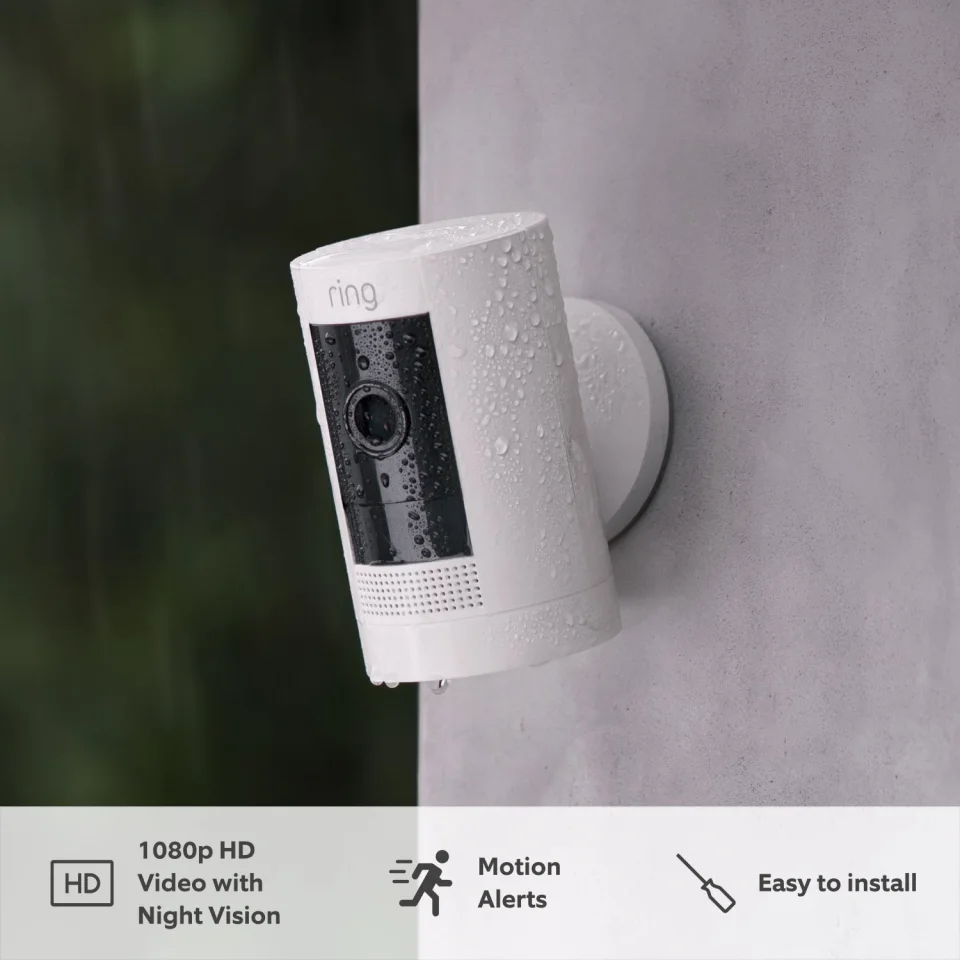
Full specifications
Specs per ring.com (official product page, accessed October 2026). Prices and plan names change — confirm on ring.com before buying.
| Official product name | Ring Outdoor Camera Battery (Formerly: Stick Up Cam, 3rd Gen) |
|---|---|
| Video resolution | 1080p HD with Live View |
| Night vision | Color Night Vision |
| Field of view | 130° diagonal / 110° horizontal / 57° vertical |
| Audio | Two-way talk with noise cancellation |
| Motion detection | Advanced Motion Detection with Customizable Motion Zones |
| Power options | Quick-Release Battery Pack (included); optional Solar Panel (sold separately); optional Indoor/Outdoor Power Adapter (sold separately); dual-power supported |
| Connectivity | 802.11 b/g/n Wi-Fi @ 2.4 GHz (no 5 GHz) |
| Internet requirement | Minimum 2 Mbps upload per device (recommended) |
| Placement | Indoor / outdoor (Ring: "can go anywhere, inside or out") |
| Mounting | Integrated adjustable base/stand — sits freestanding or wall-mounts; ceiling mount sold separately |
| Colors | Black, White |
| Dimensions | 60 × 60 × 97 mm (2.36 × 2.36 × 3.82 in), without stand |
| Weather rating | Weather resistant; operating −20 °C to 50 °C (−4 °F to 122 °F) |
| In the box | Camera, Quick-Release Battery Pack, USB charging cable, screws and wall anchors, user manual, security sticker |
| App requirements | Ring app; iOS 9.3+ / Android 5.0+ |
| Smart home | Works with Alexa (motion announcements, live view on Echo Show); links with other Ring devices in the Ring app |
| Warranty | 1-year limited warranty + theft protection |
| Typical list price | Around $79.99 (Battery); frequently discounted |
| Trial | 30-day Ring Protect trial included with purchase |
Key features
1080p HD with color night vision
The Stick Up Cam records in 1080p HD and uses color night vision rather than switching to grainy black-and-white infrared. For indoor use this matters: identifying a person in a hallway at night is easier when the footage keeps some color detail.
Customizable motion zones
Ring's Advanced Motion Detection lets you draw custom zones so the camera only alerts on the areas you care about — for example, the front door inside an entryway while ignoring a hallway leading to bedrooms. This is the single most useful feature for indoor placement, where pets and family movement would otherwise spam your phone.
Quick-release battery, or plug it in
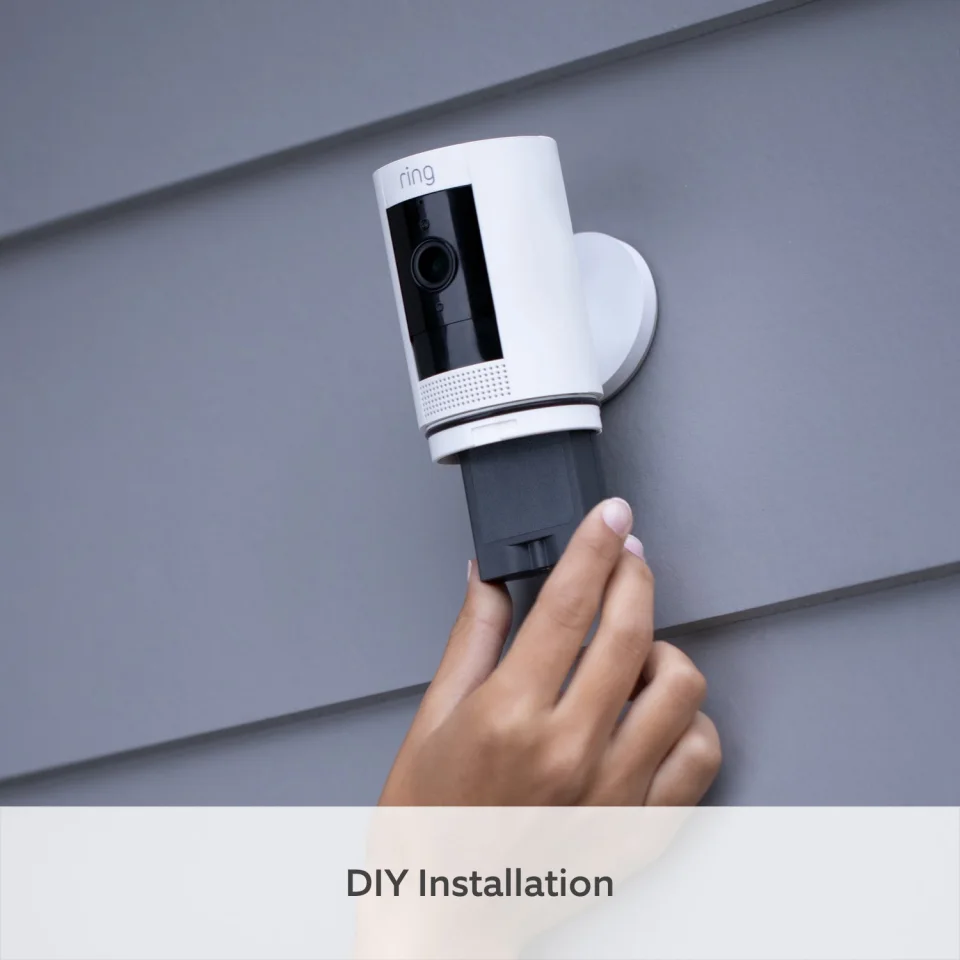
The battery slides out for charging without taking the camera down. Ring also sells an Indoor/Outdoor Power Adapter for nonstop outlet power with the battery as backup ("dual power"). For an indoor camera that sits on a shelf, the plug-in route removes charging from your life entirely.
Two-way talk with noise cancellation
Built-in speaker and microphone let you talk through the camera from the Ring app — handy for checking in on kids, pets, or a caregiver. Noise cancellation helps voices cut through household background noise.
Privacy zones and audio privacy
Ring lets you create Privacy Zones that permanently black out parts of the frame (for example, a neighbor's window or a bathroom doorway), and you can disable motion recording, alerts, and audio from the app. You can also schedule motion alerts around your routine — though scheduling requires a subscription.
Using the Stick Up Cam indoors
This is where the Stick Up Cam quietly shines. Because it was designed to survive weather, indoor conditions are trivial for it, and the freestanding base means zero installation: set it on a bookshelf, a kitchen counter, or a side table and point it where you want.
Placement tips
- Entryways and hallways: the 110° horizontal field of view covers a standard room from a corner. Mount it high (7–8 feet) angled slightly down for the best coverage.
- Nursery or kids' room: two-way talk turns it into a basic monitor. Use a Privacy Zone over the crib area if you only want the doorway watched.
- Pet watching: the battery model goes anywhere, including rooms with no nearby outlet. Custom motion zones keep alerts focused on the pet's area.
- Avoid pointing at: bedrooms and bathrooms of guests — use Privacy Zones or simply don't place cameras there.
Which power option is best indoors?
- Battery — best if you want zero cords: on a shelf, in a rental, or moving the camera between rooms. Trade-off: you will recharge it periodically.
- Plug-In — best for a fixed indoor spot near an outlet. Always powered, plus it can enable features like 24/7 recording on eligible plans.
- Solar — skip it indoors; it needs direct sunlight.
One limitation to know: 2.4 GHz Wi-Fi only
The Stick Up Cam connects on 2.4 GHz Wi-Fi only — no 5 GHz. In practice 2.4 GHz reaches farther through walls, which suits indoor cameras, but make sure your router's 2.4 GHz band is enabled and the camera has a solid signal where you place it. Ring recommends at least 2 Mbps upload per camera.
Ring Protect subscription: what you actually need
Ring's plans are currently sold as Ring Protect Solo (one device), Ring Protect Multi (all devices at one location), Ring Protect Pro (adds intelligent features and professional monitoring), and Virtual Security Guard (live agent monitoring). Ring includes a 30-day trial with the camera.
What we verified on ring.com: with a plan you get up to 180 days of event video history, person/package/vehicle smart alerts, video saving and sharing, and 7-day photo storage. Without a plan you still get real-time motion notifications, Live View, and two-way talk for free — but no recordings to review later. 24/7 continuous recording is available as a $3/month-per-camera add-on on eligible (wired) setups.
Bottom line from owner feedback: the camera is genuinely useful without a subscription as a live check-in tool, but if you want to review what happened while you were out, budget for at least the single-device plan. Ring does not publish plan prices on a static page that stays put — check ring.com/plans for current pricing.
Pros and cons
Pros
- Truly flexible: battery, plug-in, solar, or PoE power options from one camera line
- Freestanding base — genuinely zero-installation indoor placement
- Color night vision and 130° diagonal field of view
- Customizable motion zones and privacy blackout zones — excellent for indoor use
- Two-way talk with noise cancellation
- Strong Alexa integration (announcements + Echo Show live view)
- No lights or siren, so it won't disturb people indoors (Ring's own distinction vs. Spotlight Cam)
- Theft protection and 1-year warranty included
Cons
- No video history without a paid Ring Protect plan — factor the subscription into the real cost
- 2.4 GHz Wi-Fi only
- 1080p only — no 2K/4K option in this model (step up to the Outdoor Cam Plus/Pro line for higher resolution)
- Battery needs periodic recharging (or buy the plug-in adapter)
- Ceiling mount costs extra
- Ring doesn't publish a battery-life figure, so runtime claims vary — expect it to depend heavily on motion activity
Who should buy it
- Alexa households that want indoor cameras in the same app as their doorbell and other Ring gear.
- Renters who need a no-drill, no-wiring camera they can take when they move.
- Pet owners wanting a cord-free camera they can reposition room to room.
- Anyone who might move it outside later — it's weather-resistant, so a porch or garage redeployment is free.
Skip it if: you want free video history (look at brands with local storage), need 5 GHz Wi-Fi, or want 2K+ resolution.
FAQ
Is the Ring Stick Up Cam good for indoor use?
Yes. Ring's own product page describes it as a "battery-powered indoor/outdoor security camera," and Ring specifically notes it has no lights so it won't disturb people indoors. The freestanding base, customizable motion zones, and privacy blackout zones make it well suited to rooms, hallways, and entryways.
Does the Stick Up Cam work without a subscription?
Partially. Without a Ring Protect plan you get real-time motion notifications, Live View, and two-way talk for free. You do not get saved video history, smart person/package alerts, or clip sharing — those require a plan.
Battery or Plug-In — which Stick Up Cam should I get for indoors?
Get the Battery version if you want cord-free placement anywhere (shelves, rentals, moving it between rooms). Get the Plug-In version if the camera will live near an outlet — it's always powered and can unlock features like 24/7 recording on eligible plans. Ring supports dual power (adapter + battery backup) on the battery model with the optional adapter.
Can I turn off audio recording or block part of the image?
Yes. Ring offers Privacy Zones that black out selected areas of the frame, plus in-app toggles to disable audio, motion recording, and alerts. You can also schedule when motion alerts are active (subscription required for scheduling).
Does it work with Alexa and Google Home?
It works with Alexa: motion announcements on Echo speakers and live video on Echo Show. Based on Ring's published integrations, Google Home support is not a listed feature — this is an Alexa-first camera.
Where to buy
- Ring.com — buy direct, 30-day free Protect trial included
- Amazon — often discounted, Prime shipping
- Best Buy — in-store pickup available
BestIndoorCam is a research-based review site. We analyze published specifications and owner feedback; we do not claim hands-on testing unless stated. Prices and plan details change — verify on the retailer's site before purchasing.
Comments
No notes yet. If you own one of these cameras, tell us what the spec sheet left out.